![cdccd4037784792b954880028bbf7390a34ca91e-2.png]](https://support.eddy.com/hs-fs/hubfs/cdccd4037784792b954880028bbf7390a34ca91e-2.png?height=40&name=cdccd4037784792b954880028bbf7390a34ca91e-2.png)
Overview
Global search lets HR and Payroll admins quickly find any worker in the organization directly from the Eddy navigation bar — without navigating to the People section first. You can search by name, job title, email address, employee number, or even the last four digits of an SSN.
Who Can Use Global Search
Global search is visible to:
- HR Admin users — including those with restricted access (by location or department). Restricted admins will only see employees that fall within their permitted scope.
- Payroll Admin users with the Payroll admin role enabled can use global search
- Accountant — users with the Accountant role enabled can use global search
- Benefits — users with the Benefits Admin role enabled can use global search
Other user roles do not see the global search bar.
How to Open Search
There are two ways to open global search:
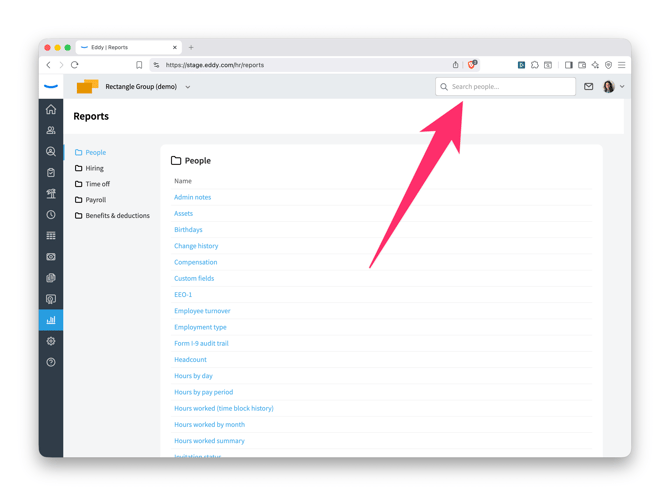
- Click the search bar in the top navigation.
- Use the keyboard shortcut
⌘K(Mac) orCtrl+K(Windows).
What You Can Search By
You can find an employee using any of the following:
- First name
- Last name
- Preferred name
- Legal name
- Last four digits of SSN
- Employee number
- Job title
- Account email
- Work email
- Personal email
Understanding Search Results
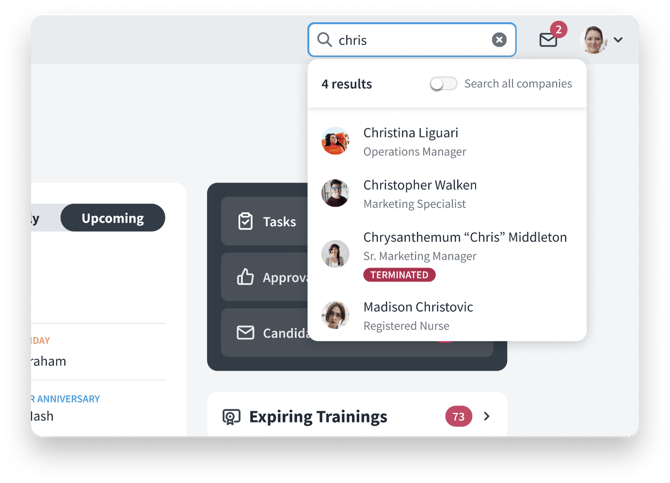
Results appear in a dropdown as you type, grouped by employment status:
- Active — currently employed workers
- Inactive — workers with an inactive status (shown with an INACTIVE badge)
- Terminated — former employees (shown with a TERMINATED badge)
- Contractor — contract workers (shown with a CONTRACTOR badge)
Each result shows the employee's photo, name, and job title.
Click any result to go directly to that employee's profile page.
Searching Across Multiple Organizations
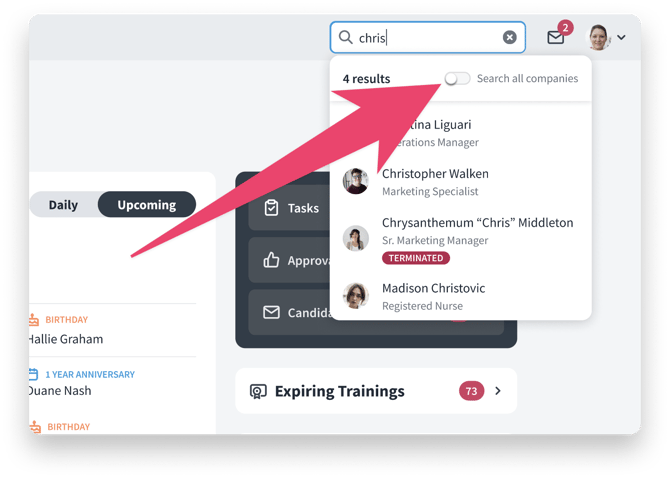
If your account includes multiple organizations, global search works across all of them.
Tips
- Search is flexible — you don't need an exact match. Partial names, preferred names, and nicknames in quotes (e.g., Chrysanthemum "Chris" Middleton) are all searchable.
- If you're a restricted HR admin and can't find someone you expect to see, check whether your location or department permissions include that employee.