![cdccd4037784792b954880028bbf7390a34ca91e-2.png]](https://support.eddy.com/hs-fs/hubfs/cdccd4037784792b954880028bbf7390a34ca91e-2.png?height=40&name=cdccd4037784792b954880028bbf7390a34ca91e-2.png)
Use wage garnishments in Eddy to withhold post-tax amounts from an employee’s paycheck when you receive a court or agency order. Wage garnishments are calculated in payroll, but you are responsible for sending the withheld funds to the appropriate agency or creditor.
Before you begin
Have the garnishment order in front of you so you can enter:
-
Employee name.
-
Withholding instructions (amount, percentage, or formula; any maximums or limits).
-
Start date and, if listed, end date or total amount to withhold.
-
Case or order number, agency/creditor name, and their remittance address.
Remember: Wage garnishments in Eddy are not remitted for you. You must send the payments after each payroll run.
Step 1: Open the Wage garnishments page
-
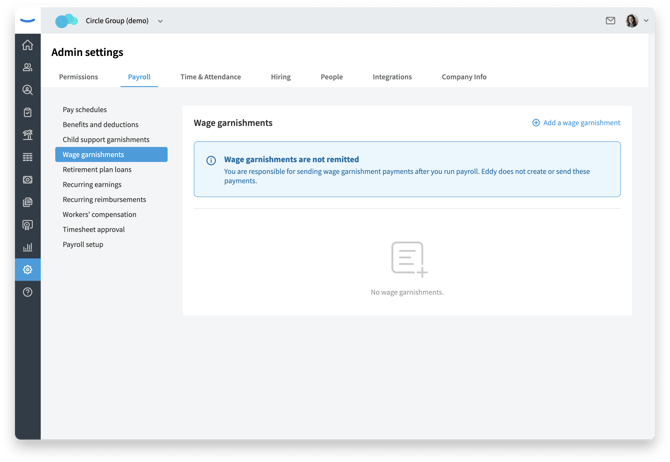
In Eddy, click the gear icon to open Admin settings.
-
Select the Payroll tab at the top of the page.
-
In the left menu, click Wage garnishments.
Step 2: Add a new wage garnishment
-
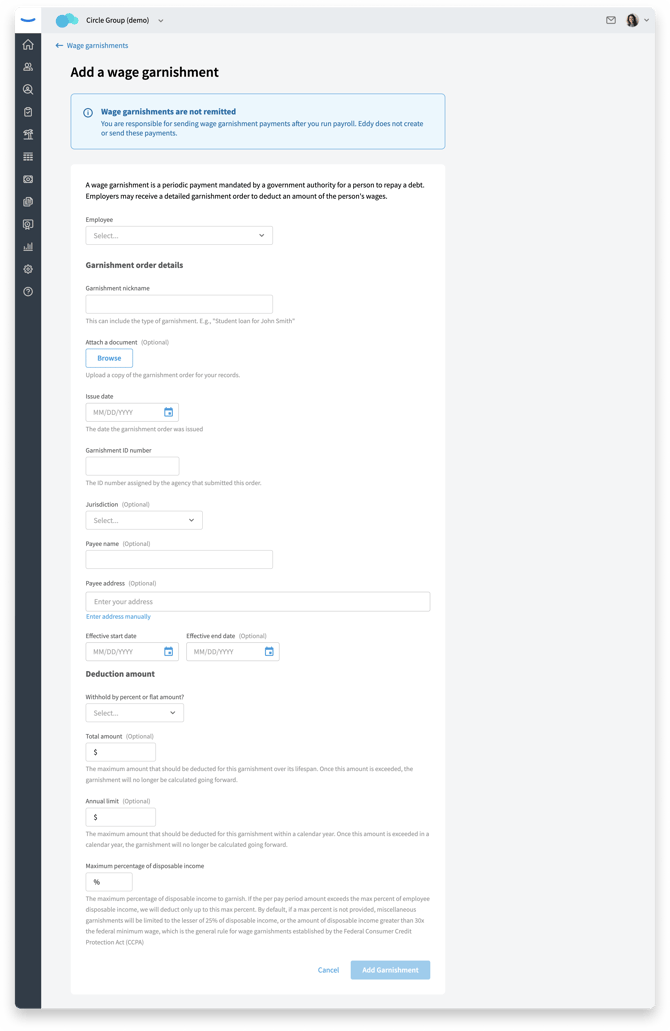
On the Wage garnishments page, click Add a wage garnishment in the top‑right corner.
-
Select the employee who has the new garnishment order.
-
Fill out the garnishment details form, including:
-
Jurisdiction (for example, Federal or a specific state).
-
Type of debt or description (such as creditor garnishment, tax levy, etc.).
-
Case or order ID.
-
Withholding method (flat amount per pay period, percent of disposable earnings, or other instructions that match the order).
-
Any maximums, limits, or end conditions described in the order.
-
Start date (the first check date that should include the garnishment).
-
Some fields are collected for tracking and reporting, even if they are not directly used in the calculation.
Step 3: Review employee garnishments and priority
Once saved, the garnishment appears on:
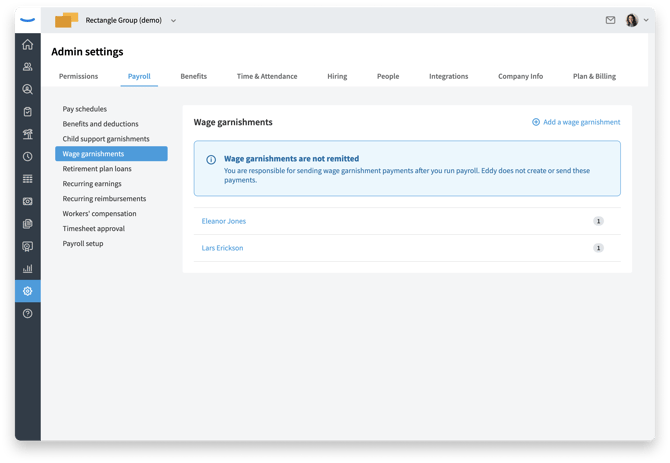
The Wage garnishments list in Admin settings for that employee.
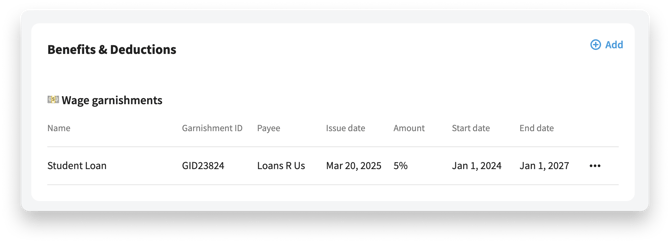
The employee’s Pay tab on their profile, alongside any other garnishments.
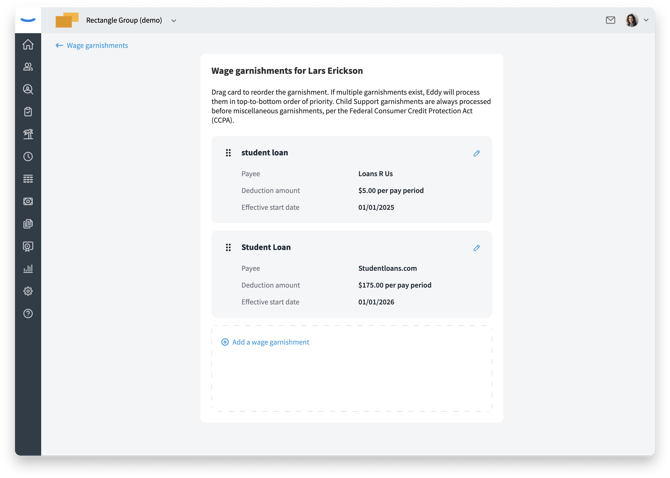
If the employee has multiple garnishments, Eddy shows them in a list where you can review their priority order; priority determines which garnishment is applied first if there are limits on disposable earnings.
Step 4: Confirm the garnishment in payroll
The next time you run payroll after the garnishment start date:
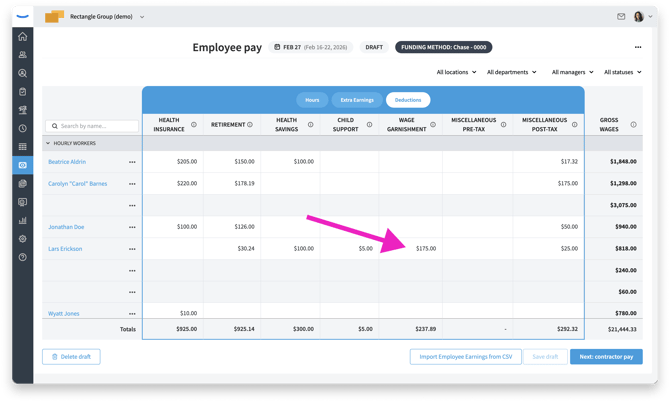
On the Run payroll page, look for a Wage garnishment column in the deductions section. All wage garnishment amounts for that run will appear there.
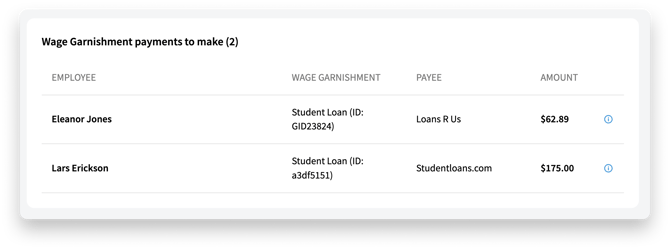
On the Payroll submission page, review the wage garnishment section, which highlights any garnishments included in that payroll.
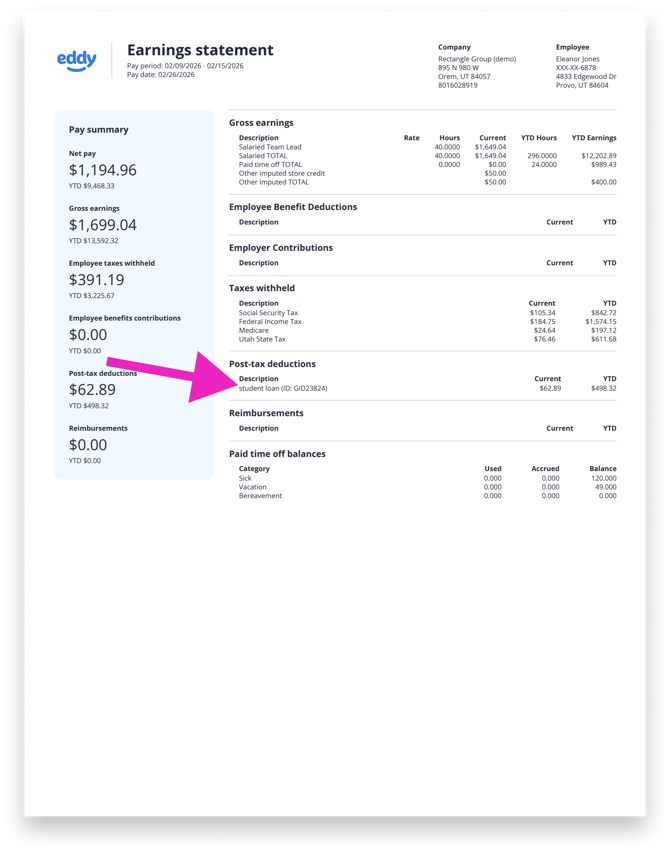
After payroll is processed, check an employee’s pay stub. The garnishment appears in the post‑tax deductions area, grouped with other garnishment‑type deductions.
What happens after payroll
Eddy includes the wage garnishment as a post-tax deduction in payroll and on the employee’s pay stub; it does not send the payment for you. After each payroll, use the amounts shown in the wage garnishment section or on the employee’s pay stub to send payments to the agency or creditor according to the order instructions.
FAQS
Can I edit a wage garnishment after I save it?
You can open an existing wage garnishment to review its details, but in most cases you’ll add a new garnishment or end the current one instead of editing core order terms like amount or rate.
How do I stop a wage garnishment in Eddy?
Once you receive a release or satisfaction notice, update the garnishment in Eddy to end it as of the appropriate paycheck, then confirm it no longer appears as a deduction in the next payroll run.
Are wage garnishments remitted automatically by Eddy?
No. Eddy calculates and withholds the garnishment amount in payroll, but your company is responsible for sending payments to the agency or creditor according to the order instructions.
What happens if an employee has multiple garnishments?
When an employee has multiple garnishments, Eddy shows them together so you can manage their priority; this helps you follow legal limits on disposable earnings when there isn’t enough pay to cover every order in full.